Crypto Whale Wallet Tracker: 10 Tools Compared for 2026
compare 10 crypto whale wallet tracker tools on real-time alerts, labels, and pnl history, with pros, cons, and ways to validate signals.
Big Wallet Moves Are Not Signals Until You Check Them.
A large transfer by itself tells you little. It can be a hedge, a rebalance, a custody move, or a test. That is why a crypto whale wallet tracker only matters if it shows who moved, where it went, and whether the flow changed the wallet's real exposure. The best tools make that easier. The weak ones just spam you with noise.
This roundup keeps the focus on what traders need. Alert speed, label quality, exit visibility, and how much independent checking you still need before you act. Copy trading carries risk. Past performance does not predict results. For more context on whale wallet movement signals, see whale wallet movement signals.
Table of Contents
- 1. Arkham Intelligence
- 2. Nansen
- 3. Spot On Chain
- 4. Whale Alert
- 5. Lookonchain
- 6. Birdeye
- 7. DexCheck
- 8. Bubblemaps
- 9. Parsec
- 10. DeBank
- Top 10 Crypto Whale Wallet Trackers Comparison
- Validate Every Signal Before You Follow It
1. Arkham Intelligence
Arkham is the kind of tool you open when you care about entity-level context more than raw transfer volume. It tries to connect addresses to real-world entities and then lets you follow fund flows across chains. That matters because a whale does not always move through one wallet. One actor can scatter activity across several addresses, and a simple alert feed misses that.
The strength here is label quality. If the counterparty is an exchange, a custodian, or a known entity cluster, you waste less time guessing. That helps when you are trying to separate a real position change from infrastructure noise. The trade-off is obvious. Better context usually means a deeper product and a heavier interface.
Where it works and where it does not
Arkham is useful for fast screening, especially when a whale move needs immediate follow-up. It is also useful for tracing funds after the first alert lands. But the same depth can slow newer users down. If you want a clean yes-or-no signal, you will still need your own process.
Practical rule: treat Arkham as a verification layer first, and a trade trigger second.
The site is Arkham Intelligence. If you already watch wallets and need follow-through on fund flow, this sits near the top of the list. For a broader tracking workflow, it also pairs well with the guidance in track crypto wallets.
2. Nansen
Nansen is built around curated labels and Smart Money style wallet watching. That makes it useful when you want a filter, not a firehose. A lot of whale tracking fails because it treats every big move the same. Nansen tries to reduce that problem by grouping wallets into cohorts that are easier to read.
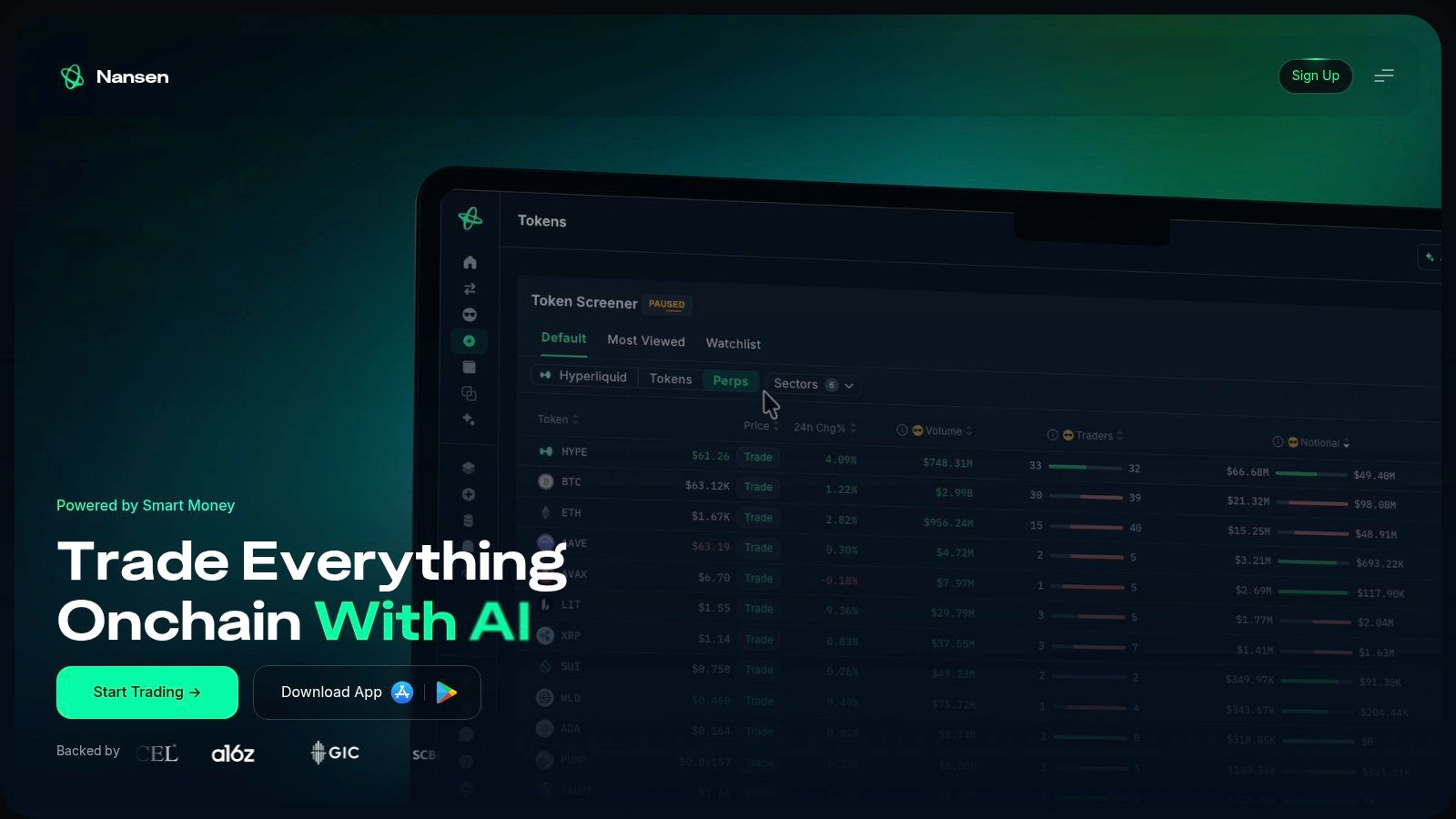
The practical upside is speed of interpretation. You can move from “large wallet did something” to “this looks like a monitored cohort” faster than you can with an unlabeled feed. The downside is the usual one. Curated labels are helpful, but they are still labels. They need checking before any action.
Trading use case
Nansen works best when you already know what you trade. Then the dashboard becomes a context filter for candidate entries and exits. It is less useful if you are hunting every possible whale event across every chain. That kind of hunting turns into distraction.
A wallet label is not a trade. It is a starting point.
The website is Nansen. If you want to compare it with other copy-trading workflows, see copy trading tools. Use it for thesis building, not blind mirroring.
3. Spot On Chain
Spot On Chain is built for people who want fast alerts without sorting through a wall of raw transactions. Its edge is the combination of AI-filtered signals and wallet drill-down. That gives it a clean middle ground. It is more structured than a simple transfer feed, but lighter than a full research terminal.
The mobile side matters. Whale moves often hit outside desk hours. Push alerts only help if the alert is readable enough to act on. Spot On Chain is built for that kind of use. You still need to check the wallet history and the destination type, but the first pass is quick.
What traders get from it
The tool is strongest when you want early awareness and a short path to more detail. It is weaker when you want deep entity resolution across many addresses. So it behaves like a fast screen, not a final answer.
- Fast signal read: good for catching notable activity before a price move fully settles.
- Wallet investigation: useful when you need to see what happened after the alert.
- Mobile access: practical when you are away from a desk.
If you want the site itself, it is Spot On Chain. The useful habit here is simple. Check the alert, check the wallet, then decide whether the move is a trade or just noise.
4. Whale Alert
Whale Alert is the plainest tool in this list, and that is its appeal. It focuses on large on-chain transfers and gets out of the way. For traders who want a broad, real-time feed and do not need heavy labeling, that simplicity is useful. It is the kind of tool you keep open as a background stream.
That said, simple transfer tracking is noisy. A big transfer can be anything from a custody move to a rebalance. Without extra context, the signal still needs verification. That is the core trade-off. You get speed and breadth, but not much interpretation.
Best use case
Whale Alert makes sense if you want a stream you can route into your own workflow. Its API and alerting model help with that. If you already have a process for checking destinations and wallet history, the feed is valuable. If you do not, the alerts can create false urgency.
The site is Whale Alert. Use it to spot the move first, not to justify the trade by itself.
5. Lookonchain
Lookonchain is less about generic whale alerts and more about the story behind the wallet action. That makes it useful when you want to know who did what, fast. It surfaces narratives around whales, VCs, and active traders. For a trader, that is often enough to decide whether a wallet deserves a closer look.
The trade-off is that narrative can outrun validation. Social speed is good for discovery. It is not enough for execution. I use that kind of feed to find the wallet, then I check the transfer trail and the destination before I touch anything.
Why it stands out
Lookonchain is quick to surface notable wallet behavior. It is easy to browse and easy to skim. That makes it a decent first pass when the market is moving and you do not have time for a deeper research session. The weakness is that it can feel more like a reporting layer than a full control panel.
If you want the platform, it is Lookonchain. For a trader, the question is never "Did something big happen?" It is "Did this wallet change exposure?"
6. Birdeye
Birdeye is a strong fit for Solana traders who want token data, holder structure, and a path into custom tooling. It is not trying to be a generic everything tracker. It is more practical than that. For Solana-specific whale work, that focus helps.
The useful part is the holder context. Seeing top holders and distribution patterns gives you a better sense of concentration before you act. That is the right way to use a whale tracker. The number of wallets alone can mislead you, because one entity can control multiple addresses and exchange wallets can pool many users. The tracker should help you ask better questions, not just count addresses.
What it gives a trader
Birdeye is good when you want to monitor Solana pairs and build your own alert logic on top. The developer side is part of the appeal. If you are building around a narrow universe of tokens, that matters. The limitation is simple. It is much more of a Solana tool than a broad multi-chain command center.
- Solana coverage: useful when your trading is chain-specific.
- Holder visibility: helps with pre-trade concentration checks.
- API access: useful if you want to build custom monitoring.
The site is Birdeye. If your process is chain-specific, this is one of the cleaner places to start.
7. DexCheck
DexCheck is oriented toward active traders who want whale movement, smart-money style dashboards, and alerting in one place. It is designed to be used, not admired. That matters. A lot of wallet tools look useful but are slow to turn into a decision. DexCheck is more direct.
The main benefit is action orientation. If you are tracking large buyers and sellers, the alerting and bot layer helps you move from observation to response. The limitation is consistency. Coverage can vary by chain and pair, so you still need to confirm the event before you act on it.
Practical trade-off
DexCheck is strong when you care about workflow. It is less attractive if you want a single universal answer across all assets. That is normal. No whale tracker removes the need to check source wallet history, destination type, and whether the move is a trade.
For a trading risk check, the relevant internal guide is rug pull checker. The site itself is DexCheck. Use it as a monitoring layer, not as proof of conviction.
8. Bubblemaps
Bubblemaps is the cleanest visual tool in the group. It maps top holders as clusters, which makes concentration risk easier to see. That is useful because whale tracking is not only about movement. It is also about structure. If several wallets are linked, the apparent distribution can be misleading.
The visual style is the point. You can spot suspicious clustering faster than you can in a standard transaction list. That makes Bubblemaps good for pre-trade diligence. It is less useful as a live alert feed, because not every relevant change is a fresh transfer. Some of the most important information is structural.
Why traders keep it around
Bubblemaps is strongest when used as a context layer beside an alert tool. It helps answer the question, “Is this wallet really isolated, or is this cluster part of a bigger entity?” That question matters before you follow any large move.
If the structure looks wrong, the trade thesis usually is wrong too.
The site is Bubblemaps. It is a good check before you trust any whale narrative too quickly.
9. Parsec
Parsec feels like a terminal built for desks that want precision. It gives you real-time feeds, custom dashboards, and wallet monitoring without trying to simplify the job too much. That is the point. If you already know what you want to watch, Parsec is built for that kind of workflow.
The advantage is control. You can build a workspace around specific wallet sets, DeFi flows, and deeper trade exploration. The drawback is setup time. This is not a casual browser tab. It needs configuration, and it rewards users who already have a monitoring process.
Where it fits
Parsec is best for traders and funds that care about drill-down. You do not open it to get an easy answer. You open it to verify a move, inspect the route, and understand the surrounding activity. That makes it one of the better tools for a serious tracking stack.
The website is Parsec. If you need a configurable terminal rather than a headline feed, it belongs on the shortlist.
10. DeBank
DeBank is the most wallet-centric product in this list. Its Stream view is useful when you want to follow specific addresses and see a consolidated activity feed. That makes it handy for tracking known whales without bouncing between tools. The interface is simple enough to keep open.
It also has a programmatic side through DeBank Cloud, which matters if you want to build your own monitoring layer. For traders, the value is less about branding and more about convenience. You can keep watch on addresses, get a clean activity stream, and move on.
What it does well
DeBank works best in EVM-heavy workflows. If your target wallets live there, the product is easy to use. The limitation is scope. It is not the broadest multi-chain tracker, and some of the social features are not essential if all you want is trade context.
The site is DeBank. For address following, it is practical. For deep whale attribution, you may still need another tool beside it.
Top 10 Crypto Whale Wallet Trackers Comparison
| Platform | Key features | UX & Reliability | Integration & Automation | Pricing / Access | Audience |
|---|---|---|---|---|---|
| Arkham Intelligence | Entity-level labels, cross-chain fund tracing, real‑time alerts | ☆ Real‑time, powerful but steep learning | Robust feeds/API, great signal source for copytrading | Paid / enterprise tiers | Analysts, funds, investigators |
| Nansen | "Smart Money" labels, multichain dashboards, alerts | ☆ Curated insights, reliable for hypotheses | Alerts & watchlists; Pro API & dashboards | Paid (Nansen Pro) | Traders, researchers, PMs |
| Spot On Chain | AI-filtered transaction alerts, smart‑money labels, mobile app | ☆ Fast alerts; tuning needed to cut noise | Mobile push + alert streams; good for rapid signals | Freemium + paid tiers | Active traders, mobile users |
| Whale Alert | Large-transfer detection, websocket/API, public feed | ☆☆ Simple & reliable but context-light | Websocket/API ideal for piping into bots/Telegram | Mostly free; API tiers | Devs, integrators, signal aggregators |
| Lookonchain | Rapid whale reports, wallet pages, timely narratives | ☆☆ Fast social-first reporting | Quick narrative signals; limited formal API | Mostly free; pro unclear | Traders wanting quick leads |
| Birdeye | Solana DEX data, top‑holder maps, Data/API docs | ☆ Fast Solana coverage, developer-friendly | API + docs tailored for Solana tooling | Paid API modules | Solana traders & devs |
| DexCheck | Whales tracker, smart‑money dashboards, Telegram bots | ☆ Action-oriented; chain coverage varies | REST/WebSocket + Telegram bots, automation-ready | Subscription or token-based access | Active traders, bot builders |
| Bubblemaps | Visual holder maps, cluster/time‑travel, concentration insights | ☆ Excellent visual due diligence | API/embeds; best for pre‑trade analysis, not alerts | Premium features gated by $BMT | Due‑diligence analysts, researchers |
| Parsec | Professional terminal, custom dashboards, entity monitoring | Enterprise-grade, configurable | Real‑time feeds & workspace integrations for desks | Enterprise / bespoke pricing | Funds, trading desks, power users |
| DeBank | Wallet stream, holdings discovery, DeBank Cloud API | ☆ Clean wallet UX, EVM-focused | Stream + Cloud API for programmatic tracking | API compute‑unit pricing | EVM traders, portfolio managers |
Validate Every Signal Before You Follow It
Pick one tool for alerts and one for context, such as holder structure or fund flow. Then check each whale move against the wallet's history and against the size you can afford to lose. A large transfer to an exchange is not the same thing as a trade. A wallet-to-wallet move can be custody reshuffling, collateral management, or an internal transfer. The difference matters.
The data behind whale tracking supports that caution. Large holders can move before price changes, smaller holders often react differently, and not every move is actionable. Research cited by the Philadelphia Fed shows that ETH concentration is heavily skewed among large wallets, while other evidence notes that transfers can affect price and behavior even when no visible sale has happened Federal Reserve Bank of Philadelphia working paper. That is useful context, not a trading edge on its own.
You also need to respect execution risk. Copy trading carries risk, and past performance does not predict results. The International Organization of Securities Commissions warns that fees, gearing, timing, and market impact can all change the result for the follower IOSCO report. If you mirror trades, do it with open eyes. If you only want alerts, keep them separate from execution. A clean process is better than a loud one.
For teams building around this space, the on-chain data stack keeps expanding, and the jobs market around it is real, as shown in this 2026 guide for blockchain data careers. If you want to mirror traders from the fomo leaderboard through a Telegram bot, start with copyfomo at https://www.copyfomo.com. Review /traders/ and /data, and read related guides on /blog before you connect anything. Copy trading carries risk. Past performance does not predict results.
copyfomo gives you a Telegram bot for mirroring filled entries and exits from traders on the fomo leaderboard. It fits this topic because it turns wallet watching into a controlled workflow instead of another alert stream. If you want that setup, start at copyfomo.
stop reading. start copying.
pick a trader from the fomo leaderboard, set your size, and the entries and the exits land in your own wallet while you sleep.
open copyfomo on telegram →