Telegram Crypto Bot Explained: Custody, Risks and Setup
telegram crypto bot explained: how alerts, trade mirroring and on-chain swaps work, custodial vs non-custodial risk, and how to set one up safely.
You've found a trader on fomo whose activity you want to follow. Then a buy lands while you're asleep, or a sell goes through while you're still checking the entry. A Telegram bot can automate that copying. Before you enable it, check the permission you're granting, not just the messages you'll receive.
The important distinction is between reading a wallet and spending from it. Both can look like buttons in the same chat. They aren't the same authorization.
Table of Contents
- What a Telegram Crypto Bot Is and Why It Lives in Chat
- Alerts, Trade Mirroring and On-Chain Execution Compared
- Custodial Versus Non-Custodial Bots
- How a Mirrored Trade Fills On Chain
- How to Check and Revoke a Token Allowance
- Security Risks Beyond the Wallet Itself
- Copy Trading Through a Bot and Where It Stops
- Confirm the Setup Before Your First Copy
What a Telegram Crypto Bot Is and Why It Lives in Chat
A Telegram crypto bot is a program that runs through a Telegram chat, accepts commands such as /start, and reads or acts on a crypto wallet. Think of a vending machine. You press a button, the machine works behind the glass, and the result comes back to the same window.
A Telegram crypto bot is a chat interface on top of a program that can read a blockchain and, in some cases, sign transactions.
The chat is the interface, not the whole system. A price message might require only public market information. A swap command requires a transaction and some form of spending authority.
The layers behind the chat
- Information: Price alerts and wallet notifications tell you that something happened. You decide whether to act.
- Tracking: Balance views, trader activity and open positions organize information you'd otherwise inspect manually.
- Action: Swaps and mirrored trades turn a command or configured rule into a wallet operation.
Telegram makes this format convenient because traders already read messages there. A bot can deliver timestamped updates without asking the user to keep another application open. Commands and results stay in the same conversation.
The platform also supports an established application ecosystem. ChainCatcher reported that about 500 million users interacted with Telegram Mini Apps each month in July 2024. That's context for why developers build inside Telegram, not evidence that an individual trading bot is safe.
Code, not a trading assistant with judgment
A bot is code, not a person reviewing your circumstances. It can run around the clock, but it only performs the actions its implementation and permissions allow. It won't necessarily recognize that your reason for following a trader has changed.
A familiar chat window proves very little. A bot can be genuine, fake or abandoned while displaying similar buttons and messages.
Before relying on one, answer the practical questions: what can it do, who holds the funds, and what can go wrong?
Alerts, Trade Mirroring and On-Chain Execution Compared
Most bots combine several features. Each carries a different level of risk. An alert-only bot cannot move money through its alert function. An execution bot can, so its permissions deserve closer inspection.
Telegram crypto bot features and what to check
| Feature | What it does | What to check |
|---|---|---|
| Price and wallet alerts | Pings you when a token price or a wallet crosses a threshold | Thresholds, quiet hours, whether the bot can still reach you |
| Portfolio tracking | Shows balances and open positions across chains | Whether the view is read-only |
| Trader monitoring | Reports what a chosen trader buys and sells | Which trader, how realized PnL is calculated, update frequency |
| Trade mirroring | Repeats a chosen trader's entries and exits at your size | Sizing mode, per-trade caps, whether exits are copied |
| On-chain execution | Sends swaps from a chat command | Chain, slippage limit, which permission the bot holds |
| Pause and kill switch | Stops new trades and, where offered, closes open positions | Speed of the stop, what it does not undo |
The distinction matters when you interpret a message. A trader-monitoring alert says the source trader bought. A filled-copy message says your wallet bought. Don't treat the first as proof of the second.
Likewise, a pause control isn't automatically a liquidation command. Read the button's stated action before pressing it. Stopping new copies, closing positions and removing spending permission are different operations.
Read the outcome, not just the notification
Our operational messages distinguish successful trades from failures and settings-based skips. The bot always tells you about these outcomes:
- Filled buy: What the trader spent and the market cap.
- Filled sell: The PnL of the whole position and how much remains open.
- Take profit or stop loss: When the configured condition fires.
- Failed sell: A sell that didn't go through.
- Skipped copy: A setting prevented the copy.
- Insufficient USDC: There wasn't enough USDC.
- Unsellable token: A token can no longer be sold.
Those distinctions tell you what needs attention. A skipped copy may reflect your configuration. A failed sell means you need to inspect the remaining position. Neither should be mistaken for a completed exit.
Alerts only help if they arrive. Confirm the bot isn't blocked. In our Telegram workflow, blocking stops trader alerts and thesis watches, which must be re-armed through /alerts and /thesis; copying and positions remain untouched. Silence in chat doesn't mean trading has stopped.
Custodial Versus Non-Custodial Bots
A custodial bot works like a bank account: the bank holds the money and you hold a login. A non-custodial bot is closer to a safe deposit box: you hold the only key, while the operator has permission only for the task you approved.
The second analogy has a limit. A smart-contract allowance isn't a person asking you to open the box each time. It can authorize spending without another manual confirmation, within the permission's scope.
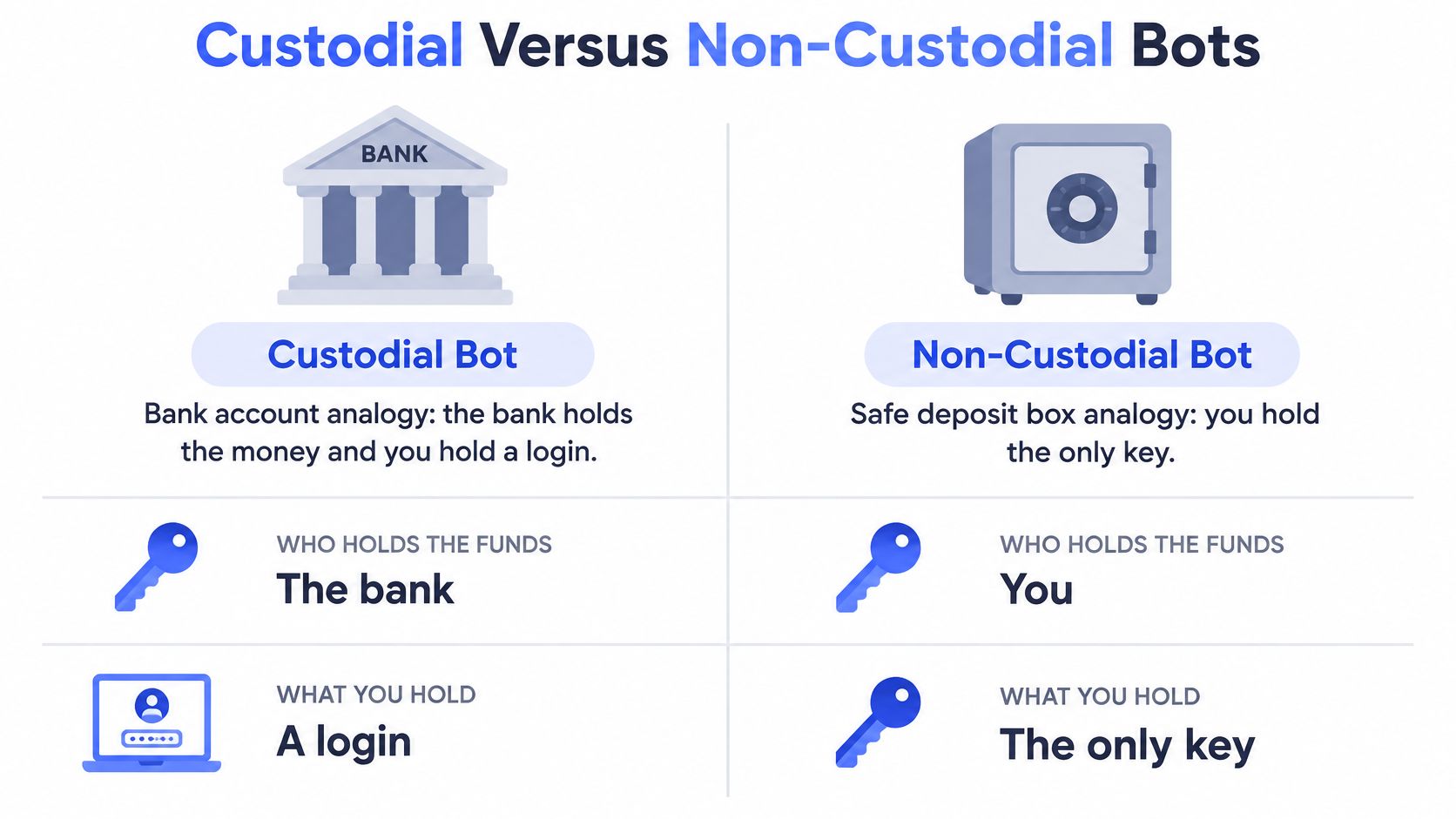
Custodial and non-custodial bots side by side
| Factor | Custodial bot | Non-custodial bot |
|---|---|---|
| Who holds the keys | The operator | The user |
| Where funds sit | Operator-controlled accounts | The user's own wallet |
| How withdrawals happen | The user asks the operator | The user signs on-chain |
| What access is granted | Account login and terms | Token allowance to a named contract |
| How access ends | Close the account or ask support | Revoke the allowance on-chain, paying a network fee |
| Main exposure | Operator failure, frozen withdrawals, breach of its systems | The user's key handling and the approvals they signed |
The non-custodial column describes an allowance-based model, not every possible non-custodial architecture. The label alone doesn't tell you which contracts can act or which tokens they can spend.
Where our execution permission sits
Our funds-control model keeps assets in a wallet that belongs to you. Execution operates under a spending allowance granted to a named contract. You retain control over moving the assets out.
The /withdraw command sends funds to your own wallet. You can cash out as USDC or send a token out as-is. You don't have to sell a token just to transfer it.
The allowance remains a security permission, even though the operator doesn't hold your private key. Removing it is a separate on-chain action with a network fee. CryptoFocus explains that disconnecting a wallet interface doesn't cancel an approval stored in the token contract.
Before authorizing any bot, get concrete answers to these questions:
- Who signs? Identify how transactions become authorized.
- What is covered? Read the token, spender and spending amount.
- How does access end? Locate the revocation route before granting access.
Non-custodial means you hold the keys. It does not mean nothing can go wrong.
How a Mirrored Trade Fills On Chain
In PipeFlare's slippage example, a USD 10,000 swap quoted at USD 1.00 per token with 2% slippage fills at an average price of USD 1.02, producing roughly USD 9,804 worth of tokens instead of USD 10,000 before fees and gas. That token value uses the original quote price. It isn't a separate fee deducted by the bot.
A copied trade is a separate transaction from the source trade. Matching the token and direction doesn't give both wallets the same fill.
Why the copied price differs
- The time gap: The source trader's fill happens before your own transaction. Their completed trade doesn't reserve the same execution price for you.
- Price movement: Other buyers and sellers can change the available price during that gap. The source trade may also have affected liquidity.
- Your slippage ceiling: Your transaction must satisfy your configured limit, not reproduce the source trader's price at any cost.
Slippage tolerance is a maximum, not a target. Setting a wider tolerance doesn't mean every trade will use it. It means you permit a less favorable execution within that boundary.
A tight ceiling can cause a transaction to fail rather than fill outside the limit. For an exit, that may appear as a sell that didn't go through. The position still needs attention, because the mirrored buy already opened it and the exit is now yours to close.
Network fees and gas sit on top of the fill price. Displaying slippage helps you inspect execution, but it doesn't remove market impact, thin liquidity or failed transactions. The guide to slippage in crypto explains that distinction in more detail.
Keep an execution record
Compare your filled price and amount in each mirrored trade message with the source trader's entry, using the displayed slippage as your guide. Then inspect the copied fill rather than assuming the quote was the final execution price.
Read the displayed slippage on every mirrored trade. Keep a written record for several weeks, including missed copies and failed sells, not just completed entries.
That record helps separate trader selection from execution quality. A source trader can make a favorable exit while your wallet remains exposed. Evaluate what happened in your wallet, not just what appeared on the leaderboard.
How to Check and Revoke a Token Allowance
Approvals are permissions separate from a wallet connection. Closing Telegram, deleting the conversation or disconnecting a wallet doesn't cancel them. Treat retirement of a bot as an on-chain permissions task, not a chat cleanup.
An unlimited approval deserves particular attention. Ethereum.org explains that it lets the authorized platform spend the approved tokens even after you move funds back into the wallet, and that revocation requires an on-chain transaction and a network fee. Emptying a wallet isn't a substitute for removing access.
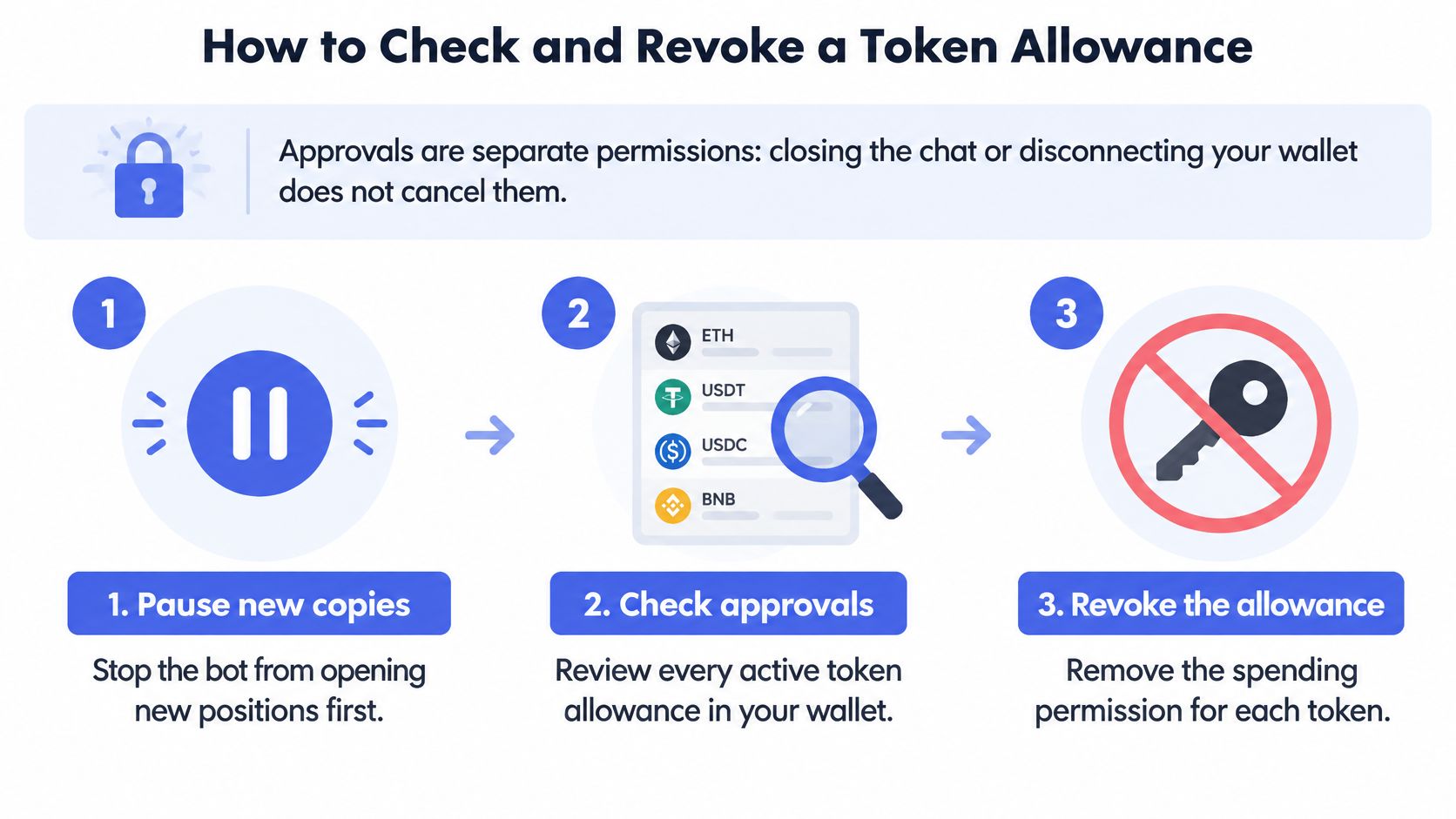
Follow the permission through confirmation
Pause new copies first. Use the bot's kill switch so it stops opening new positions while you review permissions.
Open the approvals view. Use your wallet's approvals screen or a block explorer's token approvals page for each chain you traded on.
Read every relevant row. Check the token, spender contract and approved amount, and flag any unlimited amount.
Match the spender. Compare the full address against the contract the bot documents as its own; an unrecognized spender is a red flag.
Submit the revoke transaction. Send it from your wallet and pay the network fee in the chain's native currency.
Wait for on-chain confirmation. A submitted transaction isn't proof that the permission has changed.
Refresh and verify. Confirm that the relevant allowance amount reads zero for the correct wallet, chain, token and spender.
Handle existing tokens separately. Revocation stops future spending under that allowance, but it doesn't sell assets already in the wallet.
The chain check is easy to skip. A cleared allowance on one network says nothing about permissions you granted elsewhere. Keep enough native currency available to complete the revocations you need.
Don't confuse withdrawal with shutdown
Moving assets out answers where the assets are. Revoking answers who may spend the approved token balance. Both belong in your shutdown routine.
The DeFi trading bot guide provides broader context for reviewing automated wallet access. Use the actual approval record as your final check, rather than relying on a disconnected badge in an application.
The working rule is simple: approve only what you need, review approvals after each session, and revoke every allowance associated with a bot when you retire it.
Security Risks Beyond the Wallet Itself
Scam Sniffer reported that malware attacks using fake Telegram verification bots, trading groups, airdrop groups and alpha communities increased by 2,000% between November 2024 and January 2025, overtaking traditional phishing in reported activity, according to Cointelegraph's coverage. After users ran code or installed supposed verification software, the malware could expose passwords, wallet files, clipboard contents and browser data.
The attack can begin before a legitimate wallet prompt appears.

Security risks for Telegram crypto bot users
| Risk | What it looks like | Control |
|---|---|---|
| Fake verification bot | A bot or site asks you to run a script or install a verifier | Never run scripts or install verification software |
| Malicious trading or airdrop group | Alpha posts with download links | Leave the group and use only links from official channels |
| Phishing clone | A bot or login page with a near-identical handle or domain | Check the handle and domain against the project's published channels |
| Excessive allowance | Unlimited token approval still active after use | Approve only needed amounts, set expiry where offered, revoke after use |
| Malicious swap calldata | A transaction that does something other than the swap you expected | Read transaction details before signing and decline unknown spenders |
Verify identity before following prompts
Excessive allowances and malicious swap calldata are wallet-side risks. Fake bots, malicious groups and phishing clones can reach you before any wallet interaction. Securing the wallet doesn't make the surrounding device or onboarding flow trustworthy.
Compare the bot handle, username and domain against the channels the project publishes. Read the actual handle, not just the display name or avatar. Never run scripts or install software to verify a bot.
Keep that identity check separate from trader evaluation. A convincing trading discussion doesn't authenticate its links. The copy trading risks guide covers the wider exposure that automation leaves with the user.
Keep the same checks in mind when reviewing video guidance.
Respond from a clean device
If you suspect malware, don't enter fresh credentials on the affected device. Use a clean device for recovery.
- Pause copies: Stop new automated activity.
- Revoke allowances: Follow the steps in the allowance section.
- Move remaining assets: Transfer them to a clean wallet.
- Rotate exposed credentials: Replace any credential that may have been compromised.
Non-custody does not remove operational risk. You can keep control of funds and still lose them.
Copy Trading Through a Bot and Where It Stops
A copy bot repeats a chosen trader's buys and sells in your wallet at your configured size. That can mean a fixed ticket per trade or a proportional share of the source trade, with a per-trade cap. Traders use it to avoid missing entries while asleep and exits that manual copying often misses.
Automation addresses those operational gaps. It doesn't establish that the selected trader will make good decisions.
Read rank as history
A 2024 quantitative study of two cryptocurrency copy-trading platforms found that, on Bybit, rankings were more closely associated with leader popularity than actual performance and had weak correlation with future returns. The study also found that interface design influenced copier decisions and that incentives could distort rankings.
In that study, normalized past PnL beyond the top 50 portfolios was typically only about USD 1 to USD 25 per follower on average. Its conclusion was that copying top-ranked leaders didn't produce substantial investment profits.
Those findings concern the platforms studied, not a performance assessment of fomo. The useful lesson is narrower: rank and realized PnL are historical signals, not forecasts. A ranking doesn't tell you how the next position will end.
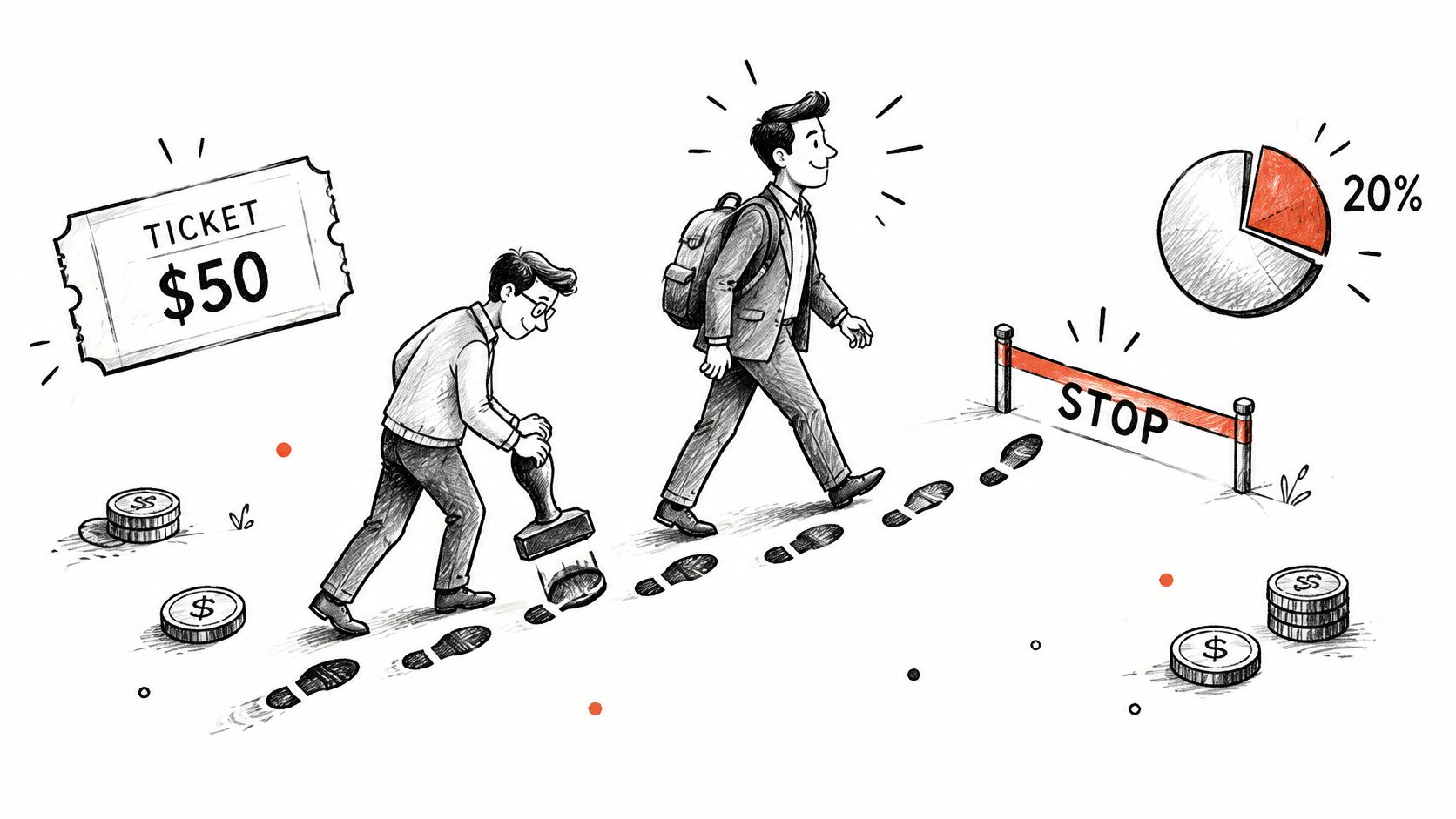
Apply that limit to a fomo trader
copyfomo is a Telegram bot that automatically copies the filled buys and sells of a top fomo trader you choose into your own wallet at your configured size. Users select from the fomo leaderboard, ranked by realized PnL from filled trades. We copy trades on Robinhood Chain, Base, BNB and Solana.
Use the /traders/ pages to inspect profiles and /data to review published metrics. Consult related /blog posts when evaluating sizing, rather than treating a leaderboard position as a sizing rule. Check the supported-chain information before enabling a copy.
Copy trading carries risk, and past performance does not predict results. Neither automated entries nor copied exits changes that.
Before following anyone, answer these questions:
- Balance impact: What would a copy cost relative to your available balance?
- Weak stretches: What did the trader's weakest periods look like?
- Exit feasibility: Can your bot still sell the token after the source trader has sold?
Confirm the Setup Before Your First Copy
The first decision is the rules, not the trade. Set the limits before funding the wallet, while there's no open position pushing you to rush.
Our setup takes five steps: open the bot and send /start, pick a trader, run the copy flow, fund the wallet with /deposit, then wait for trade messages. Add these checks around that flow:
Open the correct bot. Visit the copyfomo website, launch Telegram and send
/start. Confirm the handle is @copyfomo_bot, available through the Telegram bot.Inspect the trader. Pick from the fomo leaderboard, then check the profile, realized PnL history and published metrics.
Configure sizing. In the copy flow, choose fixed or proportional sizing and set a per-trade cap.
Check execution limits. Set the slippage ceiling and confirm that exits are mirrored.
Fund deliberately. Use
/depositwith an amount you can afford to lose.Inspect the first message. Compare your fill with the source trade, including direction, amount and execution price.
Test pause. Confirm the control stops new copies before relying on unattended operation.
Finish the shutdown. When you stop, revoke allowances you no longer need using the allowance steps, and move funds out to your own wallet.
These checks don't change the trading risk. Copy trading carries risk, and past performance does not predict results.
copyfomo mirrors a selected fomo trader's filled entries and exits into your own wallet at your chosen size. Visit copyfomo to start the bot on Telegram, review the wallet permission and configure your limits before enabling copies.
stop reading. start copying.
pick a trader from the fomo leaderboard, set your size, and the entries and the exits land in your own wallet while you sleep.
open copyfomo on telegram →