Token Approval Checker Tools: 10 Ways to Check and Revoke
compare 10 token approval checker tools, how each works, and how to check and revoke wallet approvals manually. practical guide for crypto traders.
You signed one unlimited approval months ago, finished the swap, and forgot the contract. That spender can still move the token. No new withdrawal prompt is required.
A token approval is an on-chain allowance. Your wallet tells a token contract that a spender may call transferFrom up to a set amount. Most dapps default to the maximum integer so you are not asked again before every trade. Convenient, and it stays live after you close the tab, even if your balance was near zero when you signed. A token approval checker reads those permissions. It does not hold your keys, and a clean list is not a safety certificate for the token itself.
Phishing is why this belongs in routine hygiene, not a panic drill. Cointelegraph, citing CertiK, recorded $723 million in phishing losses across 248 incidents in 2025, with reported phishing losses of $366 million in the first half of the following year. One Ethereum case was 999,999 USDT lost after a malicious token approval. The signature and the drain were separate events.
Pair allowance reviews with recovery essentials from The Coin Course. Below: one dedicated checker, explorer checkers per chain, a portfolio dashboard, and in-wallet managers. Revoking is its own transaction. You pay gas. Disconnecting a site does not clear the allowance.
Table of Contents
- 1. Revoke.cash
- 2. Etherscan Token Approval Checker
- 3. BscScan Token Approval Checker
- 4. BaseScan Token Approval Checker
- 5. PolygonScan Token Approval Checker
- 6. Arbiscan Token Approval Checker
- 7. DeBank
- 8. MetaMask Portfolio
- 9. Rabby Wallet Approval Manager
- 10. Trust Wallet Approvals
- Token approval checker tools compared
- Check Approvals on a Schedule, Not After an Incident
1. Revoke.cash
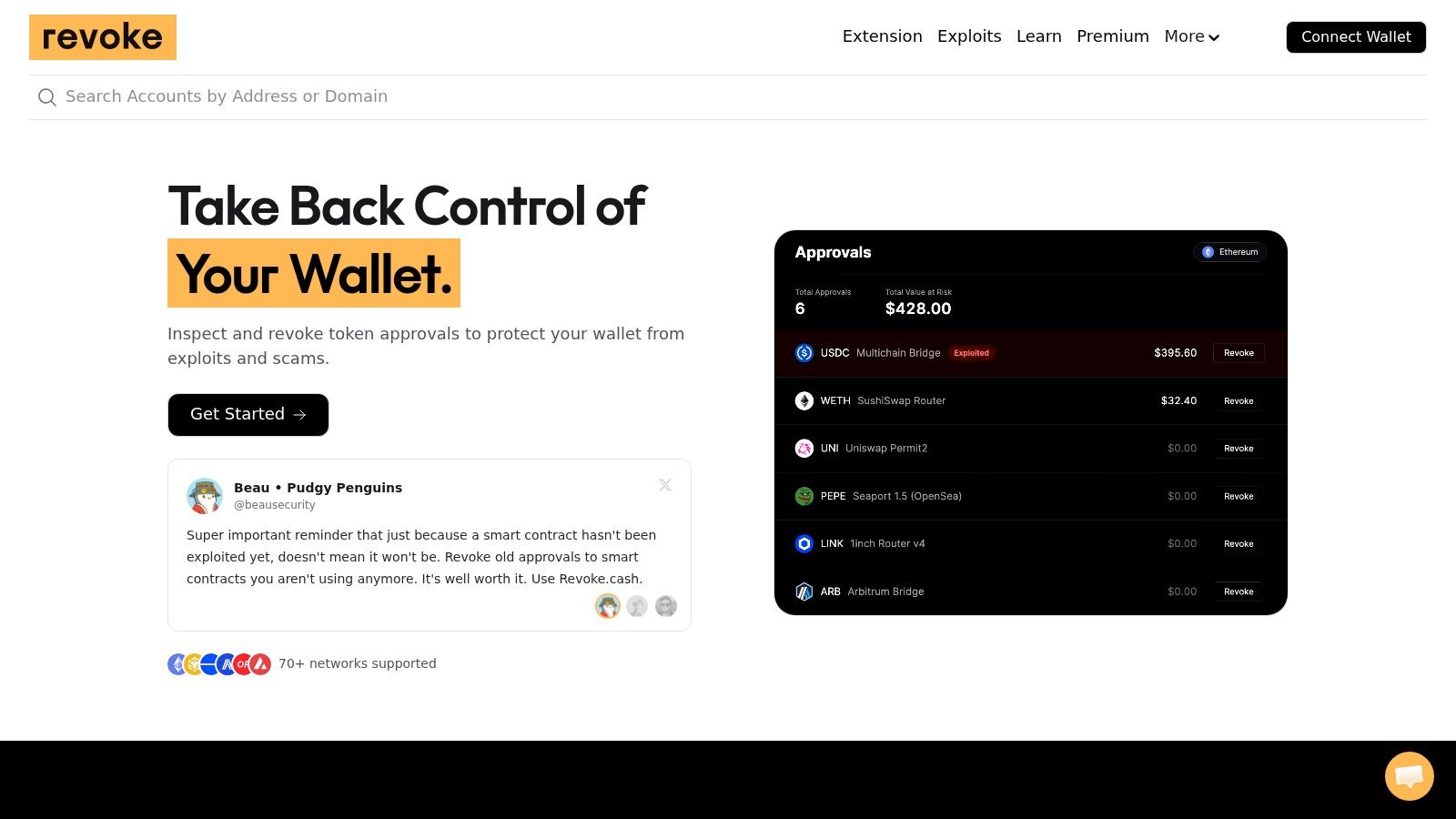
Revoke.cash is the dedicated token approval checker I open first when a wallet has touched more than one chain. Connect, pick the network, and you get token, spender, and whether the allowance is capped or unlimited. Revoke from that same list.
Unlimited is the norm, not a rare mistake. A study of 25.4 million approval transactions through July 31, 2021 found unlimited allowances were 60% of approvals, while only 10% of examined dapp interfaces explained approvals and only 16% let users set the amount, according to that Ethereum approval study. A purpose-built list beats digging through each app's settings.
What you actually get
- Approval overview: Active spenders for the connected address on the network you selected.
- Revocation workflow: One spender at a time, signed by the owner wallet.
- Repeat use: Worth a monthly pass on trading wallets, not a one-off after a scare.
If automation spends from your own keys, a non-custodial wallet still leaves those allowances in your name. Confirm network and spender in the wallet prompt. Gas is the cost. Supported networks and permission types are not identical on every chain.
2. Etherscan Token Approval Checker
Etherscan's Token Approval Checker is an address lookup, not a dashboard you must connect to before you can read anything. Paste a public Ethereum address. You see token and spender rows across ERC-20, ERC-721, and ERC-1155, plus an at-risk amount for what sits exposed if that contract is compromised, as Etherscan's checker describes it.
A public-address lookup is the right first pass on a wallet you do not want to connect yet. Revoke still needs the owner key.
NFT operator approvals are not the same object as a fungible allowance. Stopping at ERC-20 misses setApprovalForAll style permissions on collectibles. Explorer context helps when a spender name looks familiar and the contract does not.
Limits that matter
- Ethereum only: Other chains need their own explorer or a multi-chain tool.
- Connection is not permission: A dapp still listed in your wallet UI can be disconnected while the allowance remains.
- Revoke costs ETH gas: Selective. One button does not clear the rest of the list.
Use it when you already live in Etherscan and want the contract page one click away. It will not tell you whether you still need that router for a strategy you run every week.
3. BscScan Token Approval Checker
Say most of your size sits on BNB Smart Chain and Ethereum explorers show an empty approval list. That empty list is not comforting. The permissions are on the other chain.
BscScan's Token Approval Checker is the same pattern as other explorer checkers, scoped to BNB Smart Chain. Search the wallet address, read token and spender, then connect only when you are ready to revoke. I use the contract tab on the spender before I touch revoke. A labeled name is a convenience, not proof.
An allowance review also does not grade the token. A wallet-permissions guide makes the split clear: listing ERC-20 and NFT permissions, including unlimited or unfamiliar spenders, still says nothing about transfer taxes, blacklist logic, mint authority, or a proxy that can change behavior. Cutting the allowance lowers what that spender can take. It does not make a bad token, a fake frontend, or a bad route safe.
- Network-specific: One chain. No merged view with Base or Arbitrum.
- On-chain revoke: You need BNB for gas.
- No safety verdict: A row in the checker is not an audit.
If you already trace BNB Chain swaps here, keep the approval check in the same session. Do not treat a quiet list as permission to ape the next unverified contract.
4. BaseScan Token Approval Checker
Base activity piles up fast: routers, position managers, and NFT mints that each asked for a spender. BaseScan's Token Approval Checker lets you inspect that wallet by address before you connect. Token allowances and NFT approvals both show. Revoke still needs a connected owner wallet and Base gas.
The workflow is familiar if you already use the explorer for txs. You are not starting from a portfolio app that mixes every chain into one balance. That narrowness is the point. A Base-only list will not hide an Arbitrum allowance, and it will not show one either.
When revoke is the wrong button
Revoke sets the on-chain allowance down, usually to zero. It does not uninstall the dapp, and it does not care that you still want that spender tomorrow. If a strategy on Base still routes through that contract, the next swap asks you to approve again. That extra approval is annoying. It is cheaper than leaving an unlimited spender on a wallet that holds size.
- Base only: Check other networks in their own tools.
- Gas on every revoke: Batch the session so you are not paying a fresh approval an hour later for a contract you still use.
- Read the spender: Address lookup does not score the contract.
Keep a short list of Base spenders you intend to leave in place. Everything else on this page is cleanup.
5. PolygonScan Token Approval Checker
Polygon leftovers are the usual mess. A farm from two cycles ago, an NFT marketplace operator, a router you used once because gas was cheap. PolygonScan's Token Approval Checker is the chain-local token approval checker for that pile. Search the address, read token and spender, connect to revoke.
It sits next to the same explorer you use for Polygon txs, so you can open the spender, see whether it is verified, and decide if the allowance still matches anything you do. There is no portfolio-wide rollup. A Polygon row tells you nothing about Ethereum mainnet.
Under the hood, approve replaces the current allowance. It does not add to it. The ERC-20 specification defines approve(address _spender, uint256 _value) as the call that sets what the spender may withdraw, usable more than once until the amount is spent or replaced. Your checker should show the current allowance, not the story from the original approval tx.
- Polygon only: Fees are the network's, and they are still real.
- Not a dashboard: You will repeat this on every chain you trade.
- Stale vs active: Old Polygon dapps deserve a harder look than a router you used today.
If you left Polygon and moved size elsewhere, this is a cleanup pass, not a daily tool.
6. Arbiscan Token Approval Checker
Arbiscan's Token Approval Checker is the Arbitrum slice. Address in, spender and token out, wallet connected only for the revoke transaction. Useful when a trading stack lives on Arbitrum and you do not want a multi-chain app interpreting labels for you.
An address search still does not grade the spender. Research on the approve and transferFrom path built an automated system, OSPREY, that flagged 32,582 potentially vulnerable contracts, including 410 confirmed exploitable at the time, in an ecosystem review published via a USENIX Security paper. Age and size of an allowance are not the whole risk. Known exploit history on the spender matters, and so does whether you are looking at a plain ERC-20 approval, a permit signature, or an NFT operator.
I treat any unfamiliar Arbitrum spender as revoke-first unless I can name the protocol and the reason it still needs access.
Gas is due on every revoke. Chain-by-chain audits are slower than one dashboard. They are also harder to misread, because you cannot confuse an Arbitrum router with a lookalike on another network. Leave the allowance only when you can point at a live position that still needs that contract.
7. DeBank
A standalone checker lists permissions. DeBank puts that list beside balances and DeFi positions, which is the right trade when you cannot remember which protocol a spender belongs to.
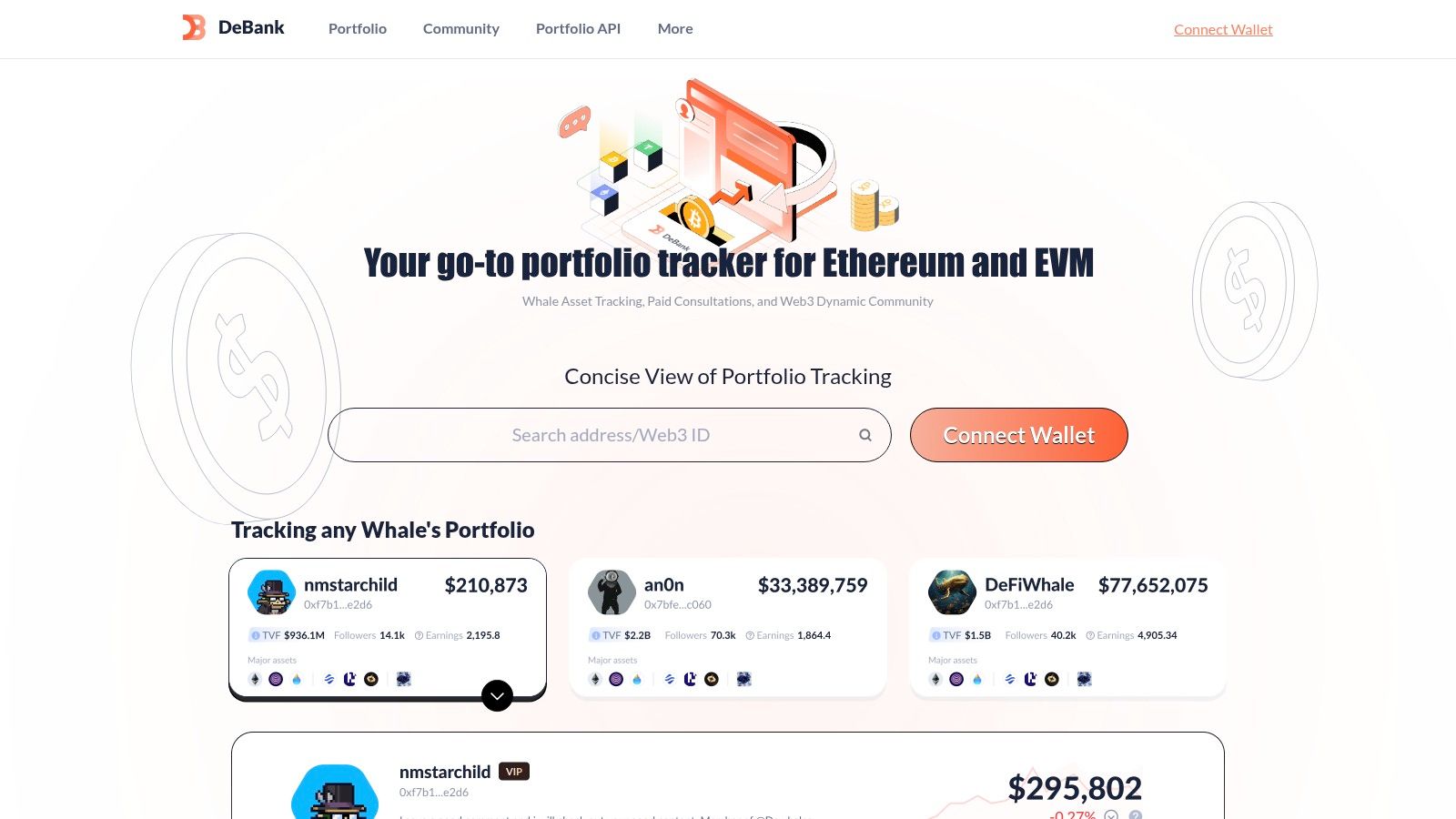
Open the wallet, switch to approvals, and you see approved tokens with a path to decline the permission. Multi-chain context helps you connect a spender to a protocol you still have open. It does not replace reading the spender address. Labels drift. Coverage and freshness vary by chain and by permission type.
Trade-off versus a dedicated checker
- More context: You can see the position and the allowance together.
- Sign-in for action: Viewing is lighter than revoking. Revoke still needs the wallet and gas.
- Not exhaustive: If a chain or a permit-style permission is thin here, confirm it on the chain explorer.
People running automated strategies should know what a DeFi trading bot is allowed to spend before they leave a max allowance sitting on a hot wallet. DeBank is a map. The transaction you sign is still yours to check.
8. MetaMask Portfolio
If the wallet you already sign with is MetaMask, the portfolio site is the lowest-friction token approval checker in this list. MetaMask Portfolio reviews and revokes spending caps, the wallet's name for allowances, inside the same vendor's UI.
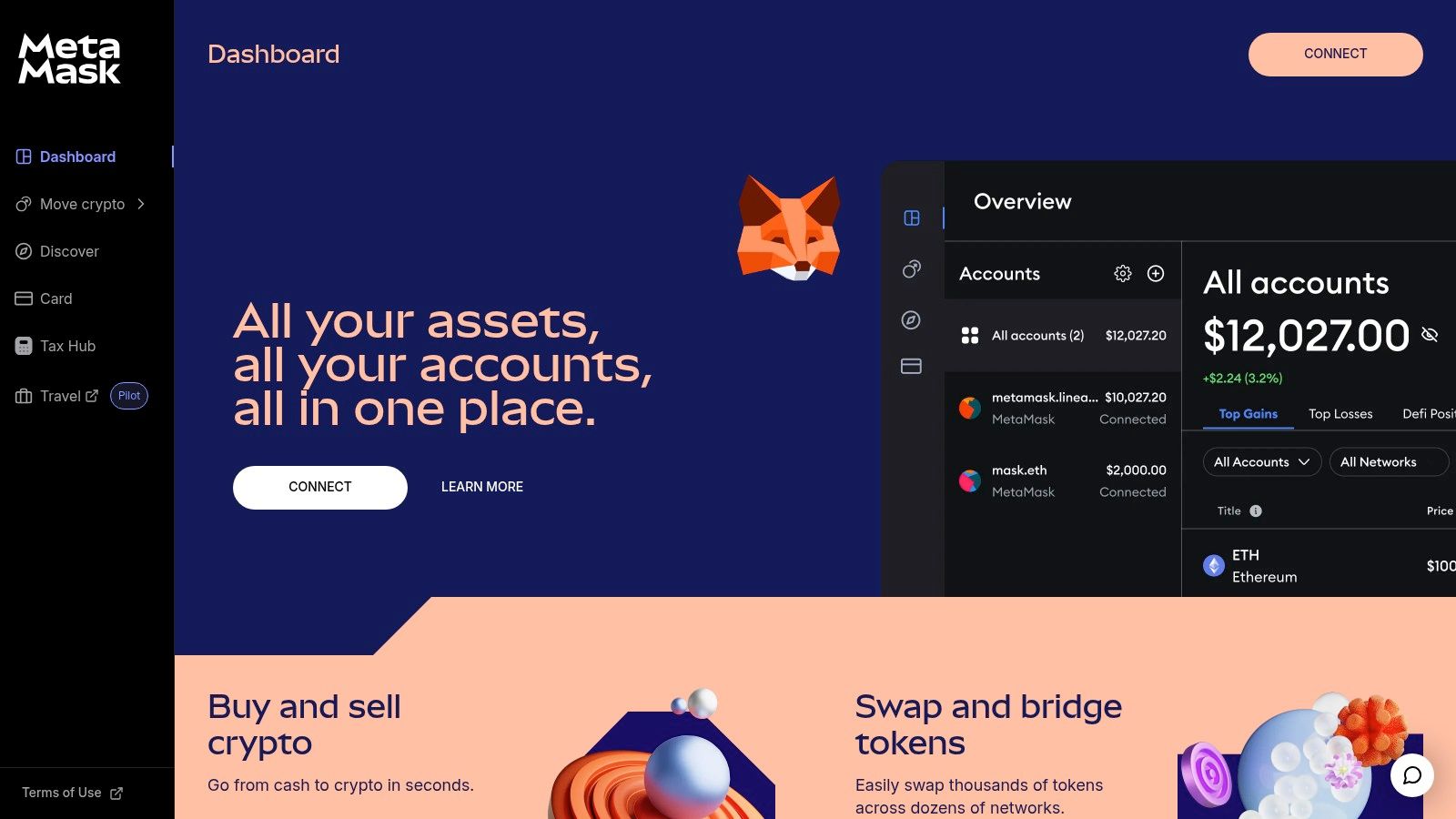
Spending-cap support, per MetaMask's own help, covers Ethereum Mainnet, Polygon, BNB Chain, Optimism, and Base. That is a useful EVM set. It is not every network you might have approved on. If a chain is missing from that feature, do not assume the allowance is gone. Check the explorer for that chain.
Why the limit is the feature
You are not pasting a seed into a third-party checker. You connect the wallet you already trust, review caps, and send a revoke. Availability still depends on wallet and network setup. Each revoke is on-chain. Batch them when gas is something you are willing to pay, not one at a time between trades.
Before you leave a fresh unlimited cap in place for automation, read the risk section of any guide to copy trading the same way you read a spender. The cap is the blast radius. MetaMask will not decide which protocol you still need.
9. Rabby Wallet Approval Manager
Rabby puts an Approval Manager inside a self-custody wallet instead of on a separate site. For EVM users who already sign in Rabby, that is the cleaner habit. Review permissions where you already see the transaction you are about to send.
You are not typing a seed into a checker domain. That single difference removes a whole class of phishing pages that copy revoke tools. The manager is still only as complete as Rabby's chain and permission coverage. A dedicated multi-chain site can show a spender Rabby does not surface, and the reverse happens too. Cross-check anything that looks off.
Revokes cost gas. There is no off-chain "turn it off" switch that clears an ERC-20 allowance. If you do not want to install Rabby, this option is the wrong shape. Use an address-based explorer lookup instead of opening a second wallet just to read a list.
I would rather manage active trading approvals here than on a site I visit once a year. The wallet is already in the signing path. The checker site is not.
10. Trust Wallet Approvals
Trust Wallet keeps the review inside the app and the extension. Published feature notes say you can see active approvals, get a flag on some suspicious or risky ones, and revoke from that screen.
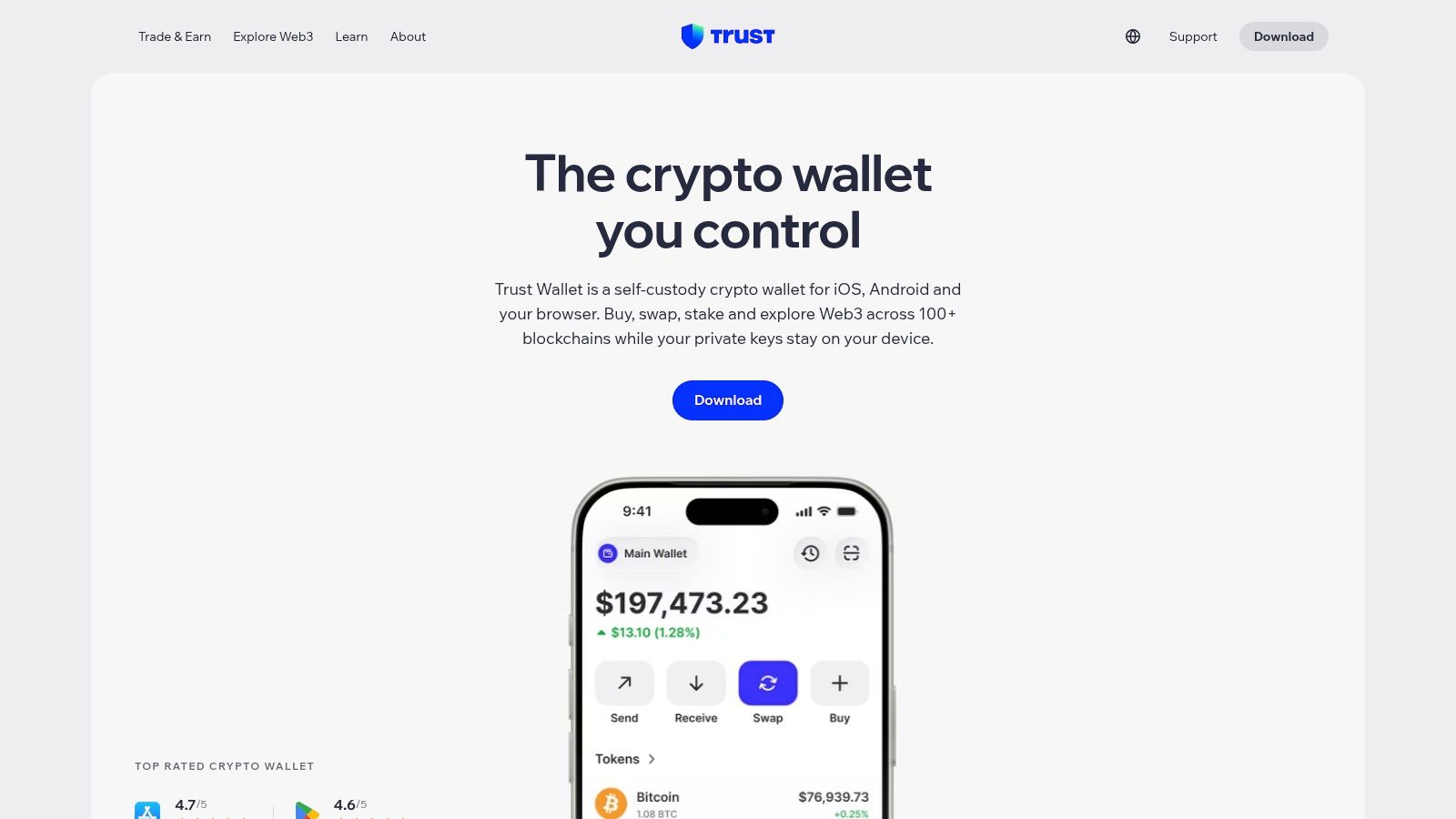
That is the right shape if the assets already sit in Trust Wallet and you do not want another website in the loop. Risk flags are a sort order, not a verdict. A quiet row can still be an unlimited spender you no longer use. A flagged row can be a protocol you use every day. Open the spender and decide yourself.
Wallet drainers are not theoretical noise. Scam Sniffer's 2024 figures, as cited in a revoke walkthrough, put drainer theft at about $494 million from about 332,000 addresses that year. In-wallet revoke does not reverse a transfer that already confirmed. It does cut the next one, if you still have the key and gas.
- Support varies: Not every permission type or network appears in the in-app list.
- Confirm the prompt: You are still signing an on-chain change, and fees apply.
- Fallback: If the app list looks short, check the chain explorer before you assume you are clean.
Token approval checker tools compared
| Tool | Network coverage | Workflow | Best for |
|---|---|---|---|
| Revoke.cash | Multiple networks; availability varies | Connect wallet, review approvals, and submit on-chain revocations | Cross-chain approval reviews and recurring wallet hygiene |
| Etherscan Token Approval Checker | Ethereum | Search a public wallet address; connect a wallet to revoke approvals | Reviewing Ethereum token and NFT approvals with explorer context |
| BscScan Token Approval Checker | BNB Smart Chain | Search a wallet address, review approvals, and connect a wallet to revoke | Auditing approvals on BNB Smart Chain |
| BaseScan Token Approval Checker | Base | Search a wallet address, review token and NFT approvals, and connect to revoke | Reviewing approvals for Base activity |
| PolygonScan Token Approval Checker | Polygon | Search a wallet address, inspect token and spender details, and connect to revoke | Auditing Polygon approvals separately |
| Arbiscan Token Approval Checker | Arbitrum | Look up an address, review token and spender details, and connect to revoke | Auditing Arbitrum DeFi or trading approvals |
| DeBank | Multiple chains; coverage varies | Review approvals alongside portfolio and DeFi activity | Users who want approval checks with broader wallet context |
| MetaMask Portfolio | Ethereum Mainnet, Polygon, BNB Chain, Optimism, and Base | Connect MetaMask, review spending caps, and revoke | MetaMask users managing approvals across supported networks |
| Rabby Wallet Approval Manager | EVM networks; support varies | Review and manage approvals within the Rabby wallet | EVM users who prefer built-in wallet approval management |
| Trust Wallet Approvals | Supported networks vary | View approvals and revoke them in the app or extension | Trust Wallet users managing supported approvals in-wallet |
Check Approvals on a Schedule, Not After an Incident
Pick one token approval checker that matches how you work. Address lookup if you only want to read. A connected dashboard if you want balances next to spenders. The wallet's own manager if you refuse to open another site. Then do the same pass on every chain where that address has traded.
Search the address or connect the owner wallet. Read each row as a triple: token, spender, amount. If you cannot identify the protocol, revoke it. If the amount is unlimited and the wallet is a hot trading wallet, revoke it or replace it with a cap you would be willing to lose. If a live strategy still needs the contract, leave a bounded allowance and write down why.
Revoke in the wallet, not from a screenshot. Etherscan's token-approval help is explicit that you must control the granting address, connect it, and hit that contract's own revoke control. One revoke does not clear the others. After the tx confirms, refresh and read the allowance again. A success toast on a website is not the chain.
The ERC-20 standard tells you to set an allowance to zero before you write a new non-zero value, because a direct change from one positive number to another can race. For cleanup, zero is the whole job. You pay gas. Allowances are revocable by design. Disconnecting the dapp is not a revoke.
Practical rule: Unlimited approvals on an active trading wallet are monthly cleanup, same as closing a tab you do not need. Do it before size lands, not after a drain.
Non-custodial automation works the same way. copyfomo mirrors buys and sells from a fomo leaderboard trader into a wallet you control, at a size you set, through a trading allowance you grant and can revoke any time. We do not hold the keys. Review that spender in a token approval checker the same way you review a router. Copy trading carries risk, and past performance does not predict results.
New tokens keep showing up, so old approvals do not age out of relevance on their own. Dedaub's 2025 count put 185,745 new ERC-20 tokens on Ethereum in 2025, against 160,807 in 2024. More contracts means more chances you signed something you no longer use.
Start the bot on Telegram at copyfomo when the allowance you leave in place is one you meant to sign.
copyfomo is a Telegram bot that copies the buys and sells of a fomo trader you choose into your own wallet, using a revocable allowance you can inspect with any token approval checker and pull at any time. Funds stay in your wallet, copy trading carries risk, and past performance does not predict results. Open copyfomo and start the bot on Telegram.
stop reading. start copying.
pick a trader from the fomo leaderboard, set your size, and the entries and the exits land in your own wallet while you sleep.
open copyfomo on telegram →